- What an LLM security playbook actually covers
- Step 1: Threat modeling for LLM systems
- Step 2: Red teaming LLM applications
- Step 3: Mitigation strategies
- Step 4: Recovery and incident response
- Building a complete LLM security lifecycle
- Final takeaway
As large language models move deeper into production systems, security stops being a theoretical concern and becomes an operational requirement. LLMs are not just models anymore — they are interfaces to data, tools, and sometimes even financial or business-critical workflows.
That also means they introduce a new class of risks: prompt injection, data leakage, model manipulation, and unsafe tool execution.
An LLM security playbook is essentially a structured way to answer one question:
“How do we break the system, and how do we make sure it still behaves safely when it breaks?”
What an LLM security playbook actually covers
A proper security playbook is not a single document — it’s a set of processes that combine design-time thinking and runtime defenses.
It usually includes:
- threat modeling (what can go wrong)
- red teaming (how it can be exploited)
- mitigation strategies (how to prevent issues)
- recovery procedures (what happens after failure)
Instead of focusing only on model accuracy, the goal is to ensure robust behavior under adversarial conditions.
Step 1: Threat modeling for LLM systems
Threat modeling is the foundation of any LLM security strategy. The goal is to map out where the system is vulnerable before anything goes into production.
Unlike traditional software, LLM systems are exposed through natural language, which makes the attack surface much broader and less predictable.
Common threat categories
- prompt injection (direct or indirect)
- data exfiltration from context or tools
- malicious tool or API calls
- model hallucinations with real-world impact
- jailbreak attempts bypassing safety layers
Threat model overview
| Threat type | Description | Typical impact |
| Prompt injection | User manipulates instructions inside prompts | System override or unsafe behavior |
| Data leakage | Sensitive data exposed via context or retrieval | Privacy violation |
| Tool abuse | LLM executes unintended actions via tools | External system damage |
| Jailbreaking | Bypassing alignment or safety rules | Policy violations |
| Context poisoning | Malicious data injected into memory or RAG | Long-term corruption |
The key insight: in LLM systems, inputs are not just data — they are instructions.
Step 2: Red teaming LLM applications
Red teaming is the process of actively trying to break the system before attackers do.
In LLM systems, this is especially important because many failures are not obvious — they emerge only under carefully crafted prompts or multi-step interactions.
What red teaming usually tests
- jailbreak robustness
- tool misuse scenarios
- hidden instruction conflicts
- multi-turn manipulation
- retrieval-augmented injection attacks
Typical red teaming workflow
| Stage | What happens | Goal |
| Planning | Define attack surface | Understand system boundaries |
| Attack design | Create adversarial prompts | Simulate real threats |
| Execution | Run tests against model | Identify failure points |
| Analysis | Categorize vulnerabilities | Prioritize fixes |
| Retesting | Verify mitigations | Ensure stability |
A useful mindset here is: if a user can think it, someone will eventually try it.
Step 3: Mitigation strategies
Once vulnerabilities are identified, the next step is building layered defenses. In LLM systems, no single mitigation is enough — security comes from redundancy.
Common mitigation techniques include:
- prompt sanitization and filtering
- strict tool permission systems
- retrieval filtering and grounding checks
- output validation layers
- system prompt isolation
- rate limiting and anomaly detection
The key idea is that the model should never be the only decision-maker for critical actions.
Step 4: Recovery and incident response
Even well-designed systems fail in unpredictable ways. That’s why recovery is a core part of the playbook, not an afterthought.
Recovery in LLM systems usually focuses on:
- isolating compromised components
- rolling back unsafe prompts or configurations
- disabling vulnerable tools temporarily
- replaying logs to understand attack paths
- updating safety rules or filters
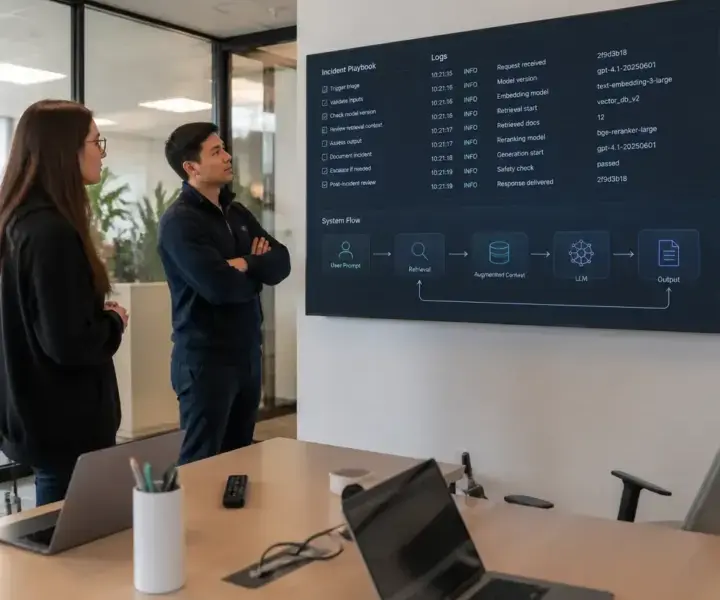
Incident response structure
| Phase | Action | Outcome |
| Detection | Identify abnormal behavior | Early warning |
| Containment | Limit system exposure | Prevent spread |
| Investigation | Analyze logs and prompts | Root cause analysis |
| Mitigation | Patch vulnerabilities | Remove exploit path |
| Recovery | Restore system safely | Return to production |
What matters most here is speed — not perfection. LLM incidents tend to escalate quickly because they often affect live user interactions.
Building a complete LLM security lifecycle
A mature system doesn’t treat security as a one-time task. Instead, it builds a continuous loop:
- design → test → attack → fix → monitor → repeat
This loop ensures that the system evolves alongside new attack patterns, which are constantly emerging in the LLM ecosystem.
Lifecycle overview
| Stage | Focus | Output |
| Design | Threat modeling | Risk map |
| Testing | Red teaming | Vulnerability report |
| Deployment | Mitigation setup | Secure system |
| Monitoring | Runtime observation | Alerts & logs |
| Response | Incident handling | Recovery actions |
Final takeaway
LLM security is not about eliminating risk completely — that’s unrealistic in any system exposed to natural language.
Instead, the goal is to:
- understand how the system can be attacked
- simulate those attacks continuously
- build layered defenses that reduce blast radius
- ensure fast recovery when something goes wrong
A good security playbook doesn’t just protect the model — it protects the entire ecosystem around it.